
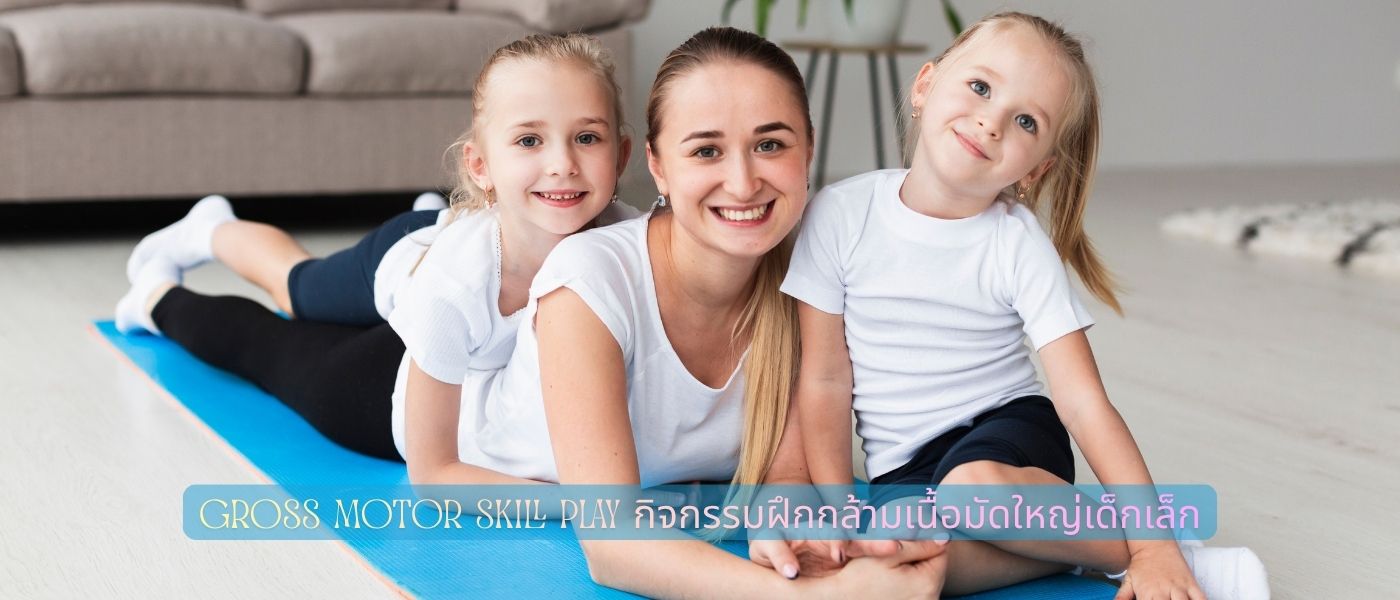
Gross Motor Skill Play – กิจกรรมฝึกกล้ามเนื้อมัดใหญ่เด็กเล็ก
พ่อแม่หลายคนสังเกตเห็นว่าลูกวิ่งยังไม่คล่อง ทรงตัวไม่ดี หรือกระโดดยังไม่ได้ทั้งที่อายุถึงแล้ว สิ่งเหล่านี้ล้วนสัมพันธ์โดยตรงกับ กล้ามเนื้อมัดใหญ่ หรือ Gross Motor Skill ซึ่งเป็นฐานพัฒนาการที่สำคัญมากในเด็กช่วงอายุ 0–6 ปี ไม่ใช่แค่เรื่องร่างกายอย่างเดียว แต่ยังส่งผลต่อสมาธิ การเรียนรู้ และความมั่นใจในตัวเองของเด็กด้วย บทความนี้ รวบรวมกิจกรรม Gross Motor Skill Play ที่ทำได้ทั้งในบ้านและกลางแจ้ง พร้อมแนะนำของเล่นที่เหมาะกับแต่ละช่วงวัย เพื่อให้พ่อแม่เอาไปใช้ได้จริงตั้งแต่วันนี้เลย
กล้ามเนื้อมัดใหญ่คืออะไร และสำคัญแค่ไหนในเด็กเล็ก
ก่อนจะไปถึงกิจกรรม ขอให้เข้าใจก่อนว่ากล้ามเนื้อมัดใหญ่คืออะไร เพราะหลายบ้านรู้แค่ว่า “ให้ลูกวิ่งเล่นเยอะ ๆ” แต่ไม่รู้ว่าจริง ๆ แล้วกำลังพัฒนาอะไรอยู่
พัฒนาการกล้ามเนื้อมัดใหญ่ในเด็กแต่ละช่วงวัย (0–5 ปี)
กล้ามเนื้อมัดใหญ่ (Gross Motor Muscles) คือ กลุ่มกล้ามเนื้อขนาดใหญ่ที่ควบคุมการเคลื่อนไหวหลักของร่างกาย เช่น การพลิกตัว นั่ง คลาน ยืน เดิน วิ่ง กระโดด และปีนป่าย แต่ละช่วงวัยจะมี milestone ที่แตกต่างกันออกไป
แรกเกิด–6 เดือน เด็กจะเริ่มชันคอได้ พลิกตัวจากหงายเป็นคว่ำ และเริ่มใช้แขนพยุงตัวขณะนอนคว่ำ ช่วง 6–12 เดือน เด็กส่วนใหญ่นั่งได้เอง คลานได้ และเริ่มจับเฟอร์นิเจอร์ลุกยืน พออายุ 1–2 ปี จะเริ่มเดินเองได้ ก้าวขึ้น-ลงบันได และเริ่มวิ่งได้แม้จะยังทรงตัวไม่นิ่ง ช่วง 2–4 ปี เด็กกระโดดสองเท้าพร้อมกันได้ เตะลูกบอล และปีนป่ายในสนามเด็กเล่นได้ ส่วนช่วง 4–6 ปี การประสานงานมือ-ตา-เท้าพัฒนาขึ้นมาก สามารถกระโดดขาเดียว วิ่งหลบสิ่งกีดขวาง และรับ-โยนบอลได้แม่นยำขึ้น
Gross Motor Skill เชื่อมโยงกับพัฒนาการด้านอื่นอย่างไร
สิ่งที่หลายคนอาจยังไม่รู้ คือ Gross Motor Skill ไม่ได้แยกออกจากพัฒนาการด้านอื่นเลย มันเกี่ยวข้องกันแบบ domino effect เมื่อเด็กสามารถควบคุมร่างกายได้ดี ความมั่นใจในการสำรวจสิ่งแวดล้อมรอบข้างก็มากขึ้น ส่งผลให้ภาษาและการสื่อสารพัฒนาเร็วขึ้นตามมา นอกจากนั้น การเล่นที่ต้องใช้การประสานงานของร่างกาย เช่น การรับ-ส่งบอล หรือการเดินบนเส้น ยังฝึกสมาธิและการจดจ่อได้ดีพอ ๆ กับการทำแบบฝึกหัดบนโต๊ะเลย
งานวิจัยจากหลายสถาบันยังพบว่า เด็กที่มี Gross Motor Skill ดีมักมีทักษะ Fine Motor (กล้ามเนื้อมัดเล็ก เช่น การจับดินสอ) ที่ดีตามมาด้วย เพราะร่างกายส่วนใหญ่ต้องมีความมั่นคงก่อนถึงจะควบคุมส่วนปลายได้แม่นยำ
⚠️ สัญญาณเตือนที่พ่อแม่ต้องสังเกต
บางสัญญาณที่ควรพาลูกพบผู้เชี่ยวชาญ ได้แก่ เด็กอายุ 12 เดือน ยังไม่นั่งได้เอง, อายุ 18 เดือน ยังเดินไม่ได้, อายุ 2 ปีขึ้นไป ยังล้มบ่อยมากผิดปกติ หรือเด็กหลีกเลี่ยงกิจกรรมที่ต้องใช้ร่างกายอย่างชัดเจน สัญญาณเหล่านี้ ไม่ได้หมายความว่า มีปัญหาร้ายแรงเสมอไป แต่การตรวจพบเร็วช่วยให้แก้ไขได้ง่ายกว่ามาก
กิจกรรม Gross Motor Skill Play ในบ้านสำหรับเด็กเล็ก
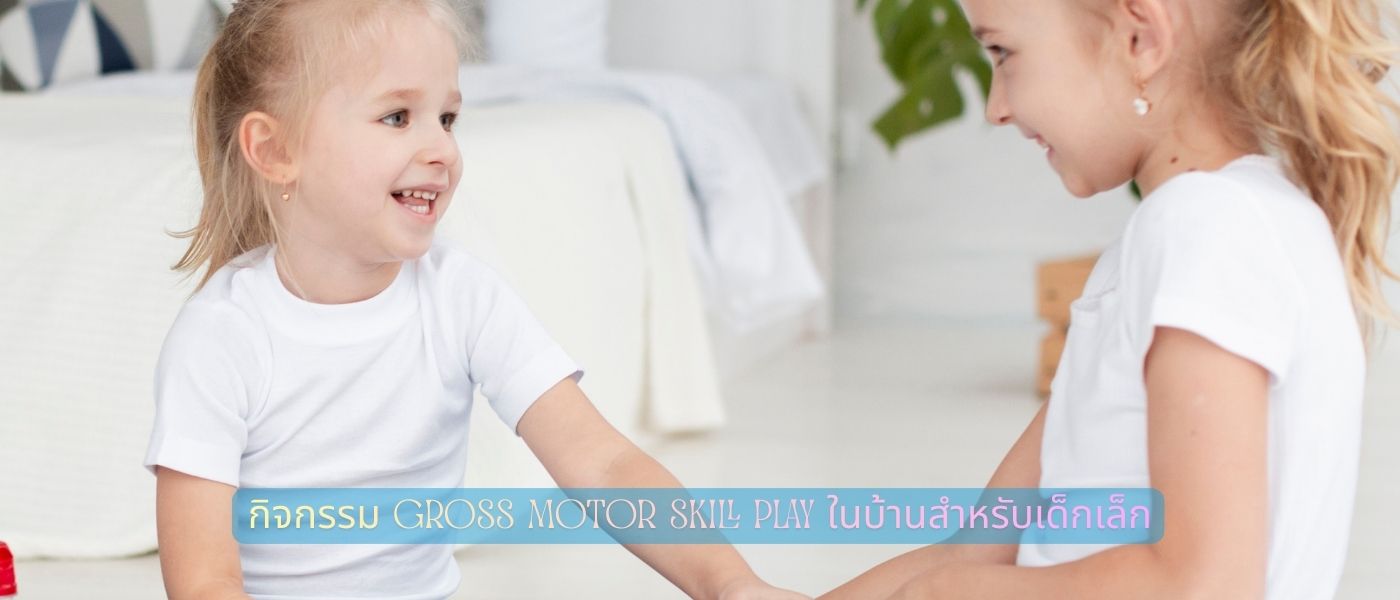
ไม่จำเป็นต้องออกไปข้างนอกเสมอไป กิจกรรมในบ้านหลายอย่างช่วยฝึก Gross Motor ได้ดีมาก โดยเฉพาะในวันฝนตกหรือช่วงที่อากาศร้อนจัด ขอแค่จัดพื้นที่ให้ปลอดภัยสักนิดก็พอ
เล่นตามรอย – กิจกรรมคลาน เดิน วิ่ง ที่ทำในห้อง
กิจกรรมง่าย ๆ ที่ทำได้ทันที คือ การใช้เทปกาวติดเส้นบนพื้น แล้วให้ลูกเดิน วิ่ง หรือกระโดดตามเส้น สำหรับเด็กเล็ก (1–2 ปี) แค่เดินตามเส้นตรงก็ฝึกการทรงตัวได้แล้ว เด็กโต (3–5 ปี) อาจทำเส้นซิกแซก วงกลม หรือกำหนดให้กระโดดข้ามจุดสีต่าง ๆ
อีกกิจกรรมที่ได้ผลดี คือ “Bear Walk” หรือการเดินแบบหมี คือ ให้ลูกวางมือกับเท้าบนพื้นแล้วเดินไปข้างหน้าโดยไม่ให้เข่าแตะพื้น ดูตลกแต่ช่วยเสริมความแข็งแรงของหัวไหล่ แขน และกล้ามเนื้อแกนกลางได้ดีมาก ลองให้ลูกทำแข่งกับพ่อแม่ รับรองว่า สนุกและอยู่กันได้นาน
เล่นกับลูกบอล พัฒนาการประสานงานมือ-ตา-เท้า
ลูกบอล เป็นของเล่นที่คุ้มค่าที่สุดชิ้นหนึ่งสำหรับเด็กทุกวัย เริ่มตั้งแต่เด็กอายุ 1 ขวบที่ยังแค่คว้าและโยนได้ไม่แม่น ไปจนถึงเด็ก 5 ปีที่เตะบอลเข้าประตูได้แล้ว ในบ้านลองใช้ลูกบอลขนาดนิ่ม เช่น ลูกบอลโฟม หรือลูกบอลผ้า เพื่อความปลอดภัย
กิจกรรมง่าย ๆ ที่ทำได้คือ โยนลูกบอลใส่ตะกร้าหรือกล่องที่วางไว้ในระยะต่าง ๆ กลิ้งลูกบอลไปมาระหว่างพ่อแม่กับลูก หรือเตะลูกบอลผ่านประตูที่ทำจากขวดน้ำ 2 ขวด กิจกรรมเหล่านี้ดูเล็กน้อย แต่ฝึก Gross Motor Skill ได้ครบทั้งการทรงตัว การประสานงาน และการคาดเดาทิศทาง
ท่าทาง Obstacle Course จากของในบ้านที่ทำเองได้
Obstacle Course หรือสนามอุปสรรคสามารถทำได้ง่าย ๆ จากของในบ้าน เช่น หมอนและเบาะวางเป็นก้าวกระโดด เก้าอี้ที่เรียงกันให้ลูกลอดใต้ ผ้าห่มที่พาดให้ปีนข้าม หรือกล่องกระดาษที่วางให้หลบหลีก
เด็กอายุ 2–3 ปี อาจต้องให้พ่อแม่จูงมือผ่าน แต่เด็กอายุ 4–5 ปีส่วนใหญ่วิ่งผ่านได้เองและมักจะขอทำซ้ำอีกรอบ เพราะมันสนุก ได้ท้าทายตัวเอง และรู้สึกภาคภูมิใจเมื่อทำสำเร็จ นี่คือตัวอย่างที่ชัดเจนมากว่าการเล่นและการเรียนรู้ไม่ได้แยกจากกัน
🌳กิจกรรมกลางแจ้งช่วยฝึกกล้ามเนื้อมัดใหญ่เด็กได้ดีกว่าในบ้าน
ในบ้านดี แต่กลางแจ้งดีกว่า เพราะพื้นที่กว้าง มีแสงธรรมชาติ และเด็กสามารถวิ่งได้เต็มที่โดยไม่ต้องกลัวชนเฟอร์นิเจอร์ แนวทางการวิจัยด้านพัฒนาการเด็ก พบว่า การเล่นกลางแจ้งอย่างน้อยวันละ 60 นาทีช่วยพัฒนา Gross Motor Skill ได้ดีกว่าการอยู่ในพื้นที่ปิดอย่างมีนัยสำคัญ
เล่นสนามเด็กเล่น – เลือกอุปกรณ์ให้เหมาะกับวัย
สนามเด็กเล่นเป็นแหล่งฝึก Gross Motor ที่ครบครันมากที่สุด เพราะออกแบบมาเพื่อจุดประสงค์นี้โดยตรง แต่ต้องเลือกให้เหมาะกับวัยด้วย เพราะเด็ก 2 ขวบกับเด็ก 5 ขวบต้องการอุปกรณ์ที่ต่างกันมาก
เด็ก 1–3 ปี เหมาะกับสไลเดอร์ขนาดเล็ก ที่ไต่ขั้นเตี้ย ๆ และกระดานหกแบบมีพนักจับ เด็ก 3–5 ปี เริ่มชอบอุปกรณ์ที่ท้าทายมากขึ้น เช่น บาร์ห้อยโหน สไลเดอร์สูง หรือตาข่ายปีนป่าย พ่อแม่ควรอยู่ใกล้ ๆ โดยเฉพาะกับเด็กเล็ก แต่พยายามอย่า “ช่วยมากเกินไป” เพราะการที่เด็กลองแก้ปัญหาเองและสำเร็จนั้นสำคัญมากต่อการพัฒนาความมั่นใจ
วิ่ง กระโดด ปีนป่าย ทักษะพื้นฐานที่เด็กเล็กต้องได้ฝึก
กิจกรรมกลางแจ้งที่ฝึก Gross Motor ได้ดีที่สุด คือ กิจกรรมที่เด็กมักทำเป็น “เล่น” ตามธรรมชาติอยู่แล้ว เช่น วิ่งไล่จับกัน กระโดดข้ามสิ่งของ หรือปีนขึ้นต้นไม้เตี้ย ๆ
การวิ่งฝึกกล้ามเนื้อขาและการประสานงานระหว่างแขนกับขา การกระโดดฝึกความแข็งแรงของขาและการลงน้ำหนักอย่างสมดุล ส่วนการปีนป่ายฝึกความแข็งแรงของกล้ามเนื้อแกนกลาง แขน และการวางแผนการเคลื่อนไหวของร่างกายทั้งหมด แค่ออกไปเล่นในสวนหรือสนามหญ้าวันละครั้ง กิจกรรมเหล่านี้จะเกิดขึ้นเองโดยธรรมชาติ
กิจกรรมกลุ่มกับเพื่อน ส่งเสริม Gross Motor และ Social Skill ไปพร้อมกัน
การเล่นคนเดียวกับการเล่นกับเพื่อนให้ผลต่างกันมาก เมื่อเด็กเล่นกับเพื่อนในวัยเดียวกัน พวกเขาต้องเจรจา ผลัดกัน รอคิว และปรับการเคลื่อนไหวของตัวเองให้เข้ากับคนอื่น นี่คือการฝึก Gross Motor ที่ซับซ้อนขึ้นอีกระดับ
กิจกรรมที่แนะนำสำหรับเด็กกลุ่ม เช่น วิ่งเก้าอี้ดนตรี เดินเป็นขบวนตามจังหวะ เล่น Simon Says ที่ให้ทำท่าทางต่าง ๆ หรือเล่นลูกโป่งไม่ให้ตกพื้น กิจกรรมเหล่านี้ สนุก ไม่แพง และฝึกได้ทั้ง Gross Motor และทักษะสังคมพร้อมกัน
เลือกของเล่นพัฒนา Gross Motor Skill ให้ถูกกับช่วงวัย
ของเล่นที่ดีไม่ได้แพงเสมอไป แต่ต้องเหมาะกับช่วงวัยและระดับพัฒนาการของเด็ก การให้ของเล่นที่ยากเกินไปทำให้เด็กหงุดหงิดและท้อแท้ ส่วนของเล่นที่ง่ายเกินไปก็ไม่ได้ช่วยฝึกอะไรเพิ่มเติม
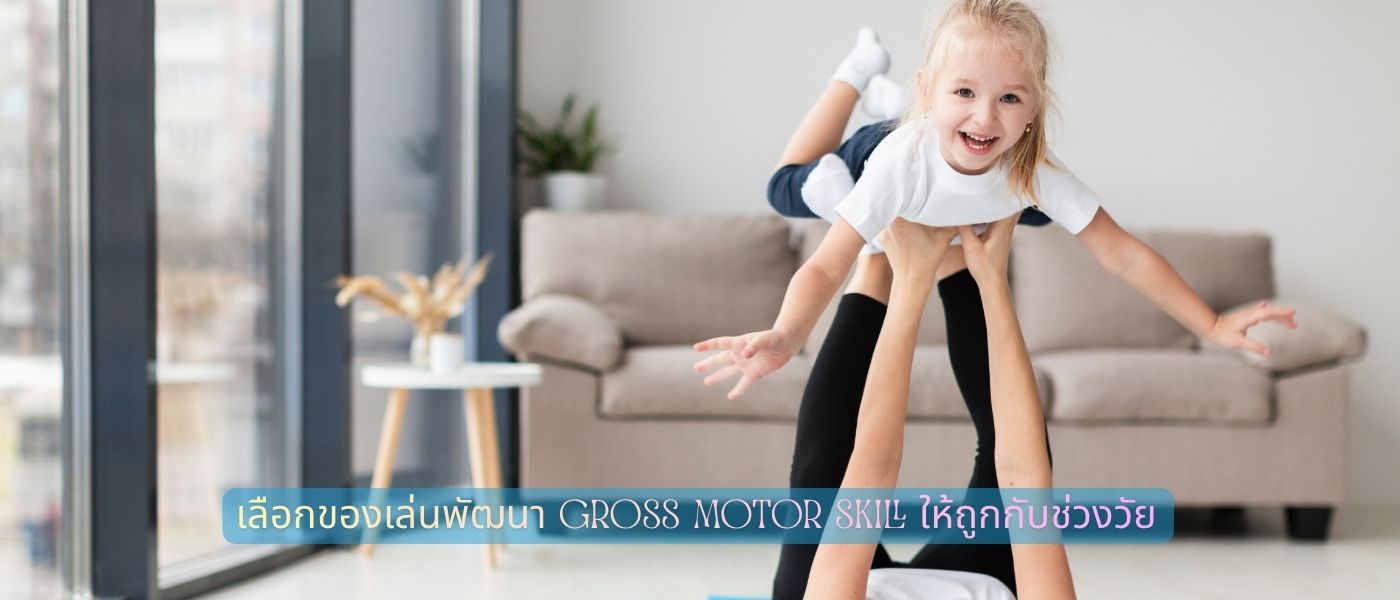
ของเล่นสำหรับเด็ก 1–2 ปี เน้นการทรงตัวและการเดิน
ช่วงนี้ลูกเพิ่งเริ่มเดิน ดังนั้น ของเล่นที่ดีที่สุด คือ สิ่งที่สนับสนุนการทรงตัวและกระตุ้นให้อยากเคลื่อนไหว รถเข็นของเล่นแบบมีน้ำหนักเหมาะสมช่วยให้เด็กเดินได้มั่นคงขึ้น ลูกบอลขนาดใหญ่สีสดใสกระตุ้นให้เด็กเดินไปหยิบ รถขาไถ (Balance Bike) สำหรับเด็กเล็กก็ฝึกการทรงตัวได้ดีมาก โดยไม่ต้องใช้เท้ากด
ของเล่นสำหรับเด็ก 2–4 ปี กระตุ้นการกระโดดและการวิ่ง
ช่วงนี้เด็กมีพลังงานล้นเหลือและชอบเคลื่อนไหวแบบใช้แรง ของเล่นที่เหมาะ คือ แทรมโพลีนขนาดเล็กสำหรับเด็ก (มีราวจับ) ซึ่งฝึกกล้ามเนื้อขาและการทรงตัวได้ดีมาก Scooter แบบ 3 ล้อ ช่วยฝึกการควบคุมทิศทาง สระน้ำสำหรับเด็กที่มีสไลเดอร์เล็ก ๆ หรือแม้แต่กล่องกระดาษขนาดใหญ่ที่ให้เด็กปีนเข้า-ออก ก็เป็นของเล่น Gross Motor ที่ดีและไม่มีต้นทุน
ของเล่นสำหรับเด็ก 4–6 ปี ฝึกความคล่องแคล่วและการประสานงาน
เด็กช่วงนี้ พร้อมสำหรับกิจกรรมที่ซับซ้อนขึ้น เช่น จักรยาน 2 ล้อ (แบบมีล้อพยุงก่อน) ซึ่งฝึกการทรงตัวและการประสานงานมือ-ตา-เท้าพร้อมกัน เชือกกระโดดฝึกจังหวะและการประสานงาน Hula Hoop ฝึกกล้ามเนื้อแกนกลางและการหมุนลำตัว ส่วน Frisbee หรือลูกบอลที่โยนรับกันฝึกความแม่นยำและการตอบสนองของร่างกาย
ของเล่นที่ “เล่นได้หลายแบบ” มักดีกว่าของเล่นที่มีวิธีเล่นตายตัว เพราะเด็กจะคิดค้นวิธีเล่นใหม่เองและได้พัฒนาความคิดสร้างสรรค์ควบคู่กับร่างกายไปด้วย
คำถามที่พ่อแม่ถามบ่อยเรื่อง Gross Motor Skill Play
ลูกไม่ชอบวิ่งเล่น ควรทำอย่างไร
เด็กบางคนมีธรรมชาติที่ชอบนั่งเล่นเงียบๆ มากกว่า ซึ่งเป็นเรื่องปกติ แต่พ่อแม่สามารถค่อยๆ ดึงเขาออกมาเคลื่อนไหวได้โดยไม่ต้องบังคับ วิธีที่ได้ผล คือ ให้พ่อแม่ร่วมเล่นด้วยตัวเอง เด็กมักเลียนแบบสิ่งที่เห็น ถ้าเห็นพ่อแม่วิ่ง กระโดด หรือปีนป่าย เขามักอยากเข้าร่วมเอง อีกวิธีคือ “เล่นตาม” ให้เด็กเป็นผู้นำและพ่อแม่เดินตาม เด็กจะรู้สึกมีอำนาจและกล้าทดลองมากขึ้น
เด็กวัยไหนเริ่มฝึกกล้ามเนื้อมัดใหญ่ได้
จริงๆ แล้ว เริ่มได้ตั้งแต่แรกเกิดเลย แค่การให้เด็กนอนคว่ำบนพื้น (Tummy Time) ในช่วงตื่นนอนก็คือการฝึกกล้ามเนื้อมัดใหญ่บริเวณคอ หัวไหล่ และหลังแล้ว ยิ่งเริ่มเร็ว ยิ่งดี เพราะสมองและกล้ามเนื้อในช่วง 0–6 ปี มี Neuroplasticity สูงมาก หมายความว่า พัฒนาได้ง่ายและเร็วกว่าช่วงอื่นในชีวิต ดังนั้น ไม่ต้องรอให้ลูกโตก่อนถึงจะเริ่ม
ฝึกนานแค่ไหนต่อวันถึงจะเพียงพอ
WHO และนักพัฒนาการเด็กส่วนใหญ่ แนะนำว่าเด็กอายุ 1–5 ปี ควรได้เคลื่อนไหวร่างกายแบบ Active Play อย่างน้อย 180 นาทีต่อวัน (สำหรับเด็ก 1–3 ปี) หรือ 60 นาที แบบ Moderate-to-Vigorous Activity (สำหรับเด็ก 3–5 ปี) ไม่จำเป็นต้องทำติดต่อกัน แบ่งเป็น 15–20 นาทีหลายรอบตลอดวันก็ได้ผลเหมือนกัน สิ่งที่สำคัญกว่าระยะเวลา คือ ความสม่ำเสมอ เด็กที่ได้เล่นทุกวันพัฒนาได้ดีกว่า เด็กที่เล่นนานแต่ไม่สม่ำเสมออย่างมีนัยสำคัญ